Threat hunting

Threat Hunting and IOC Cross-Reference

Seven indicator types in one search box, and a cross-reference graph that turns any one of them into an investigation -- related hashes, infrastructure, domains and URLs, at whatever depth the hunt needs.

IOC lookup

IOC Lookup and Threat Intelligence Search

An IOC lookup is often the fastest way to begin a security investigation. Paste the indicator you already have and allow ThreatFusionAI to connect it with available intelligence.

Seven supported indicator types, one search box. Available intelligence depends on the indicator type.

Domain and URL intelligence also serves as a Malicious Website Checker, supporting phishing, malware and suspicious-link investigations. Analyse a suspicious URL or domain before determining whether to block, escalate or investigate further. Results should be treated as security intelligence for the investigation rather than a substitute for organisational security controls.

File Hash
Antivirus verdicts, malware behaviour, extracted IOCs, related samples, MITRE ATT&CK behaviour, possible attribution
IP Address
IP reputation, geographic information, related infrastructure, connected malware, domains and relationships
Domain
Domain reputation, related hosts, connected IPs addresses, malware relationships, suspicious infrastructure
URL
Malicious website checker: suspicious links, phishing and payload distribution
CVE
CVSS severity, Proof-of-concept exploits, EPSS, exploit availability, Known Exploited Vulnerabilities status, References, Related security context
Email
Investigate available breach exposure and linked identity information when relevant to an authorized security investigation.
Phone
Investigate available breach exposure and linked identity information when relevant to an authorized security investigation.
Run a search
Paste an indicator and follow the relationships
Threat hunting

Threat Hunting

Turn One Indicator Into an Investigation

Instead of waiting for another alert, threat hunting entails actively searching for attacker behavior, An indicator-driven threat hunting process is supported by ThreatFusionAI.

Start with:

HashIPDomainURLRelated malwareATT&CK techniqueThreat actor

and continue pivoting through connected intelligence.

Step 01
Lite Scan — Direct Relationships

Submit an indicator and view its immediate connections, including related: Related Hashes, IP addresses, Domains and URLs. Relationships are presented visually to help analysts understand the immediate blast radius.

Step 02
Deep Scan — Expand the Investigation

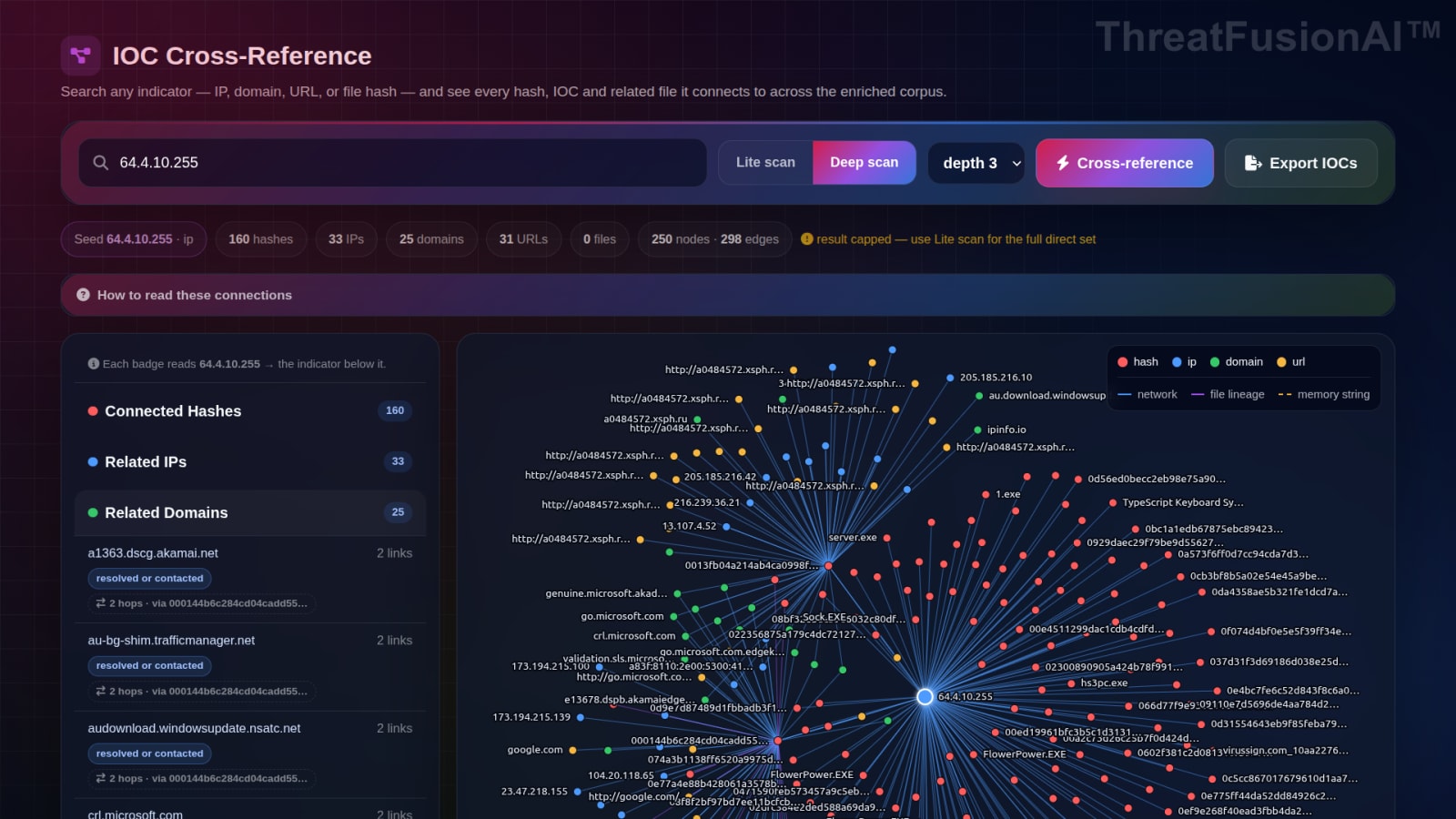
Increase the investigation depth to discover broader connections across the intelligence graph. Click a connected node to make it the new investigation center and continue following the trail. Export relevant IOCs for use in your existing security workflow.
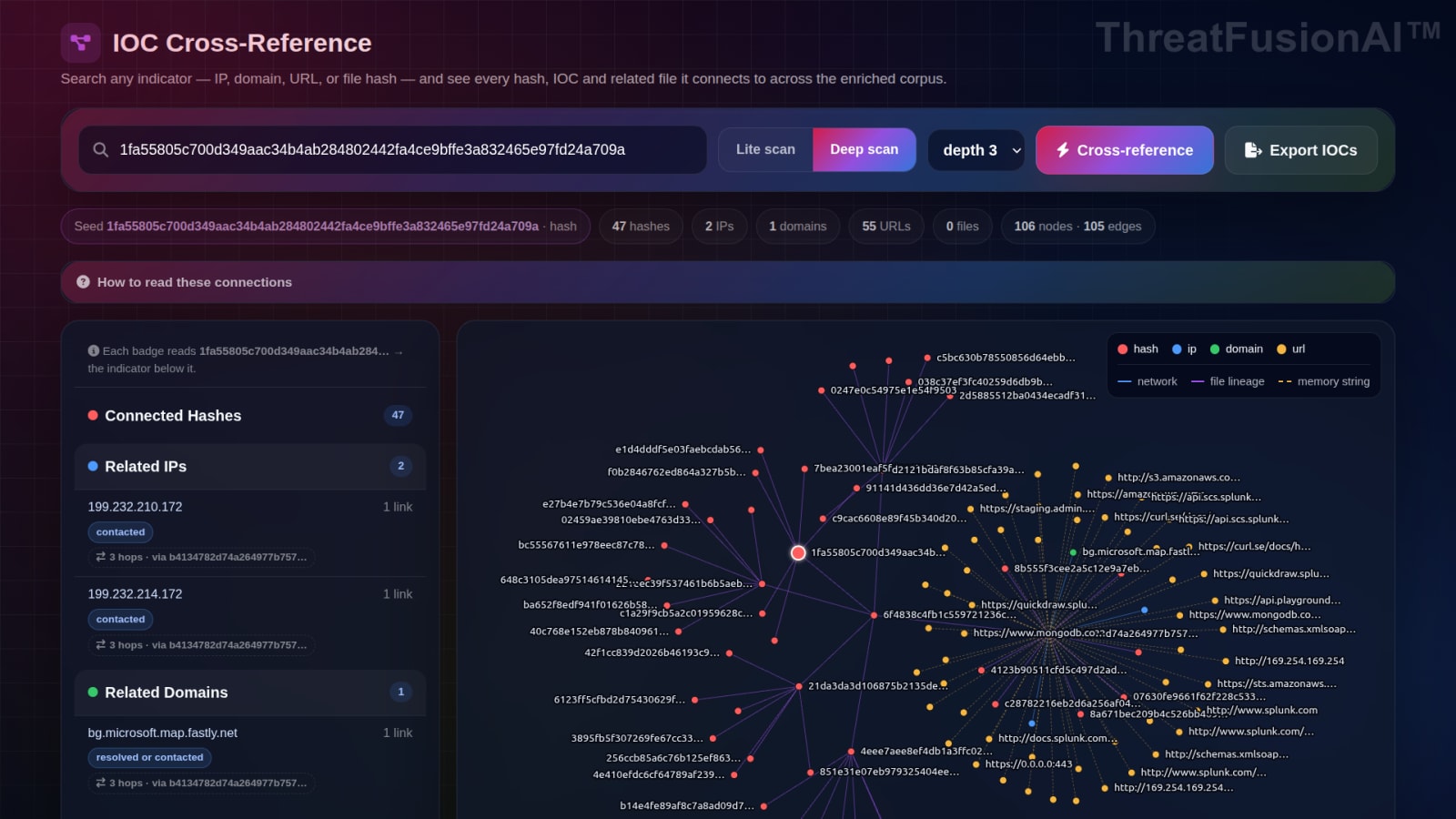
A lite scan cross-reference: connected hashes, related IPs, domains and URLs listed beside a colour-coded graph
A depth 2 deep scan widening the same search to hundreds of connected hashes across the corpus